| Restaurants | Pick-Up | Shops |
|---|
Thinking of something delicious?
Order food you love with 30 min delivery and enjoy great deals available for you ...
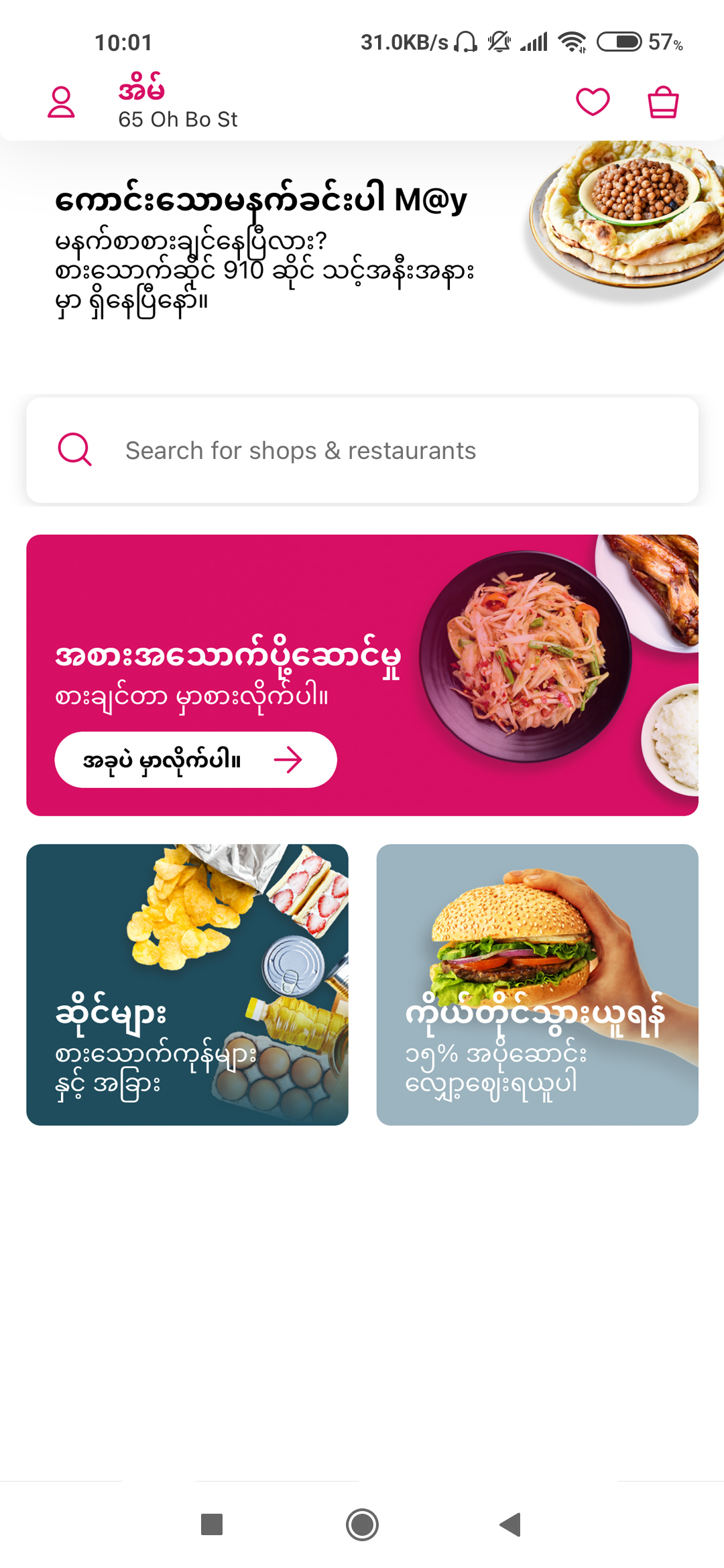
Step 1 : Select "Restaurants" from foodpanda app home screen.
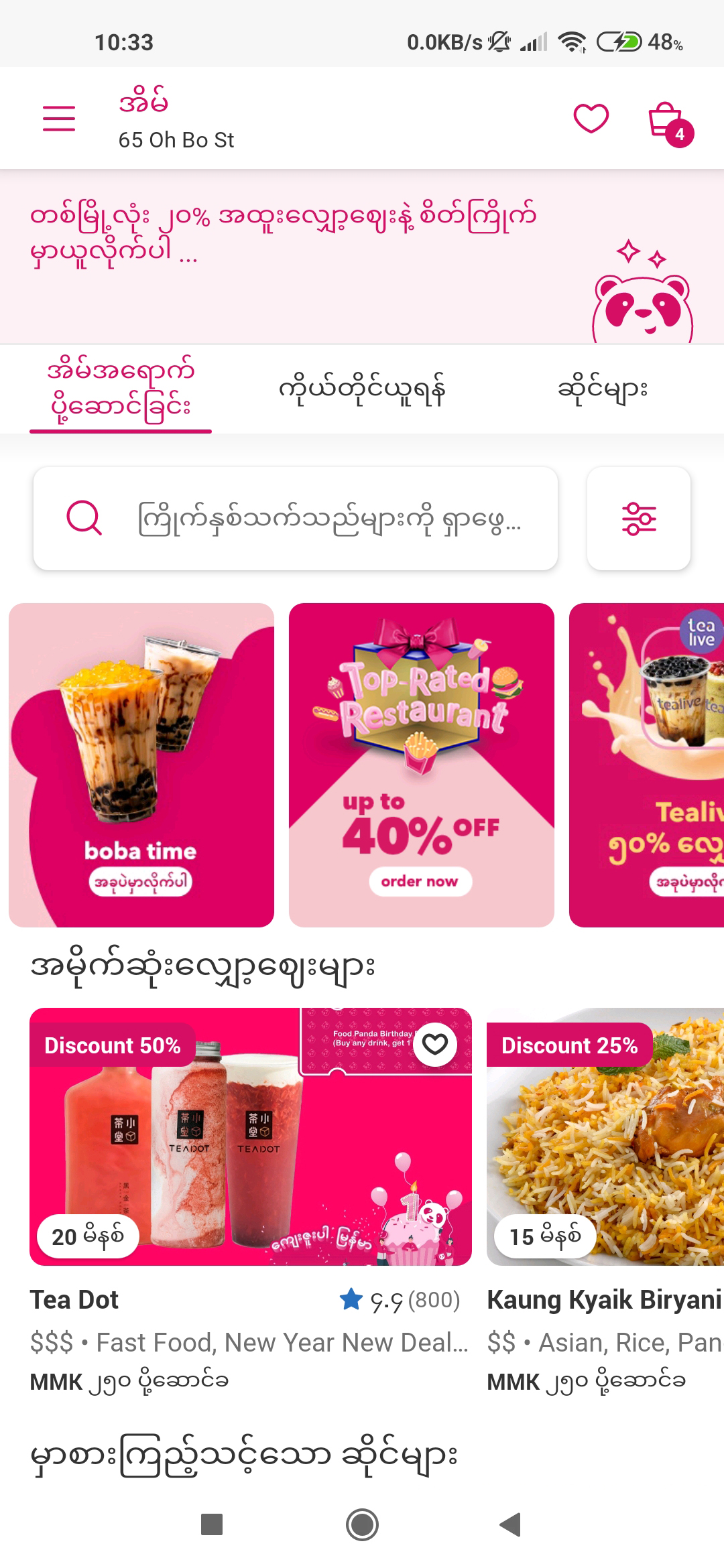
Step 2 : Choose your favourite restaurant.
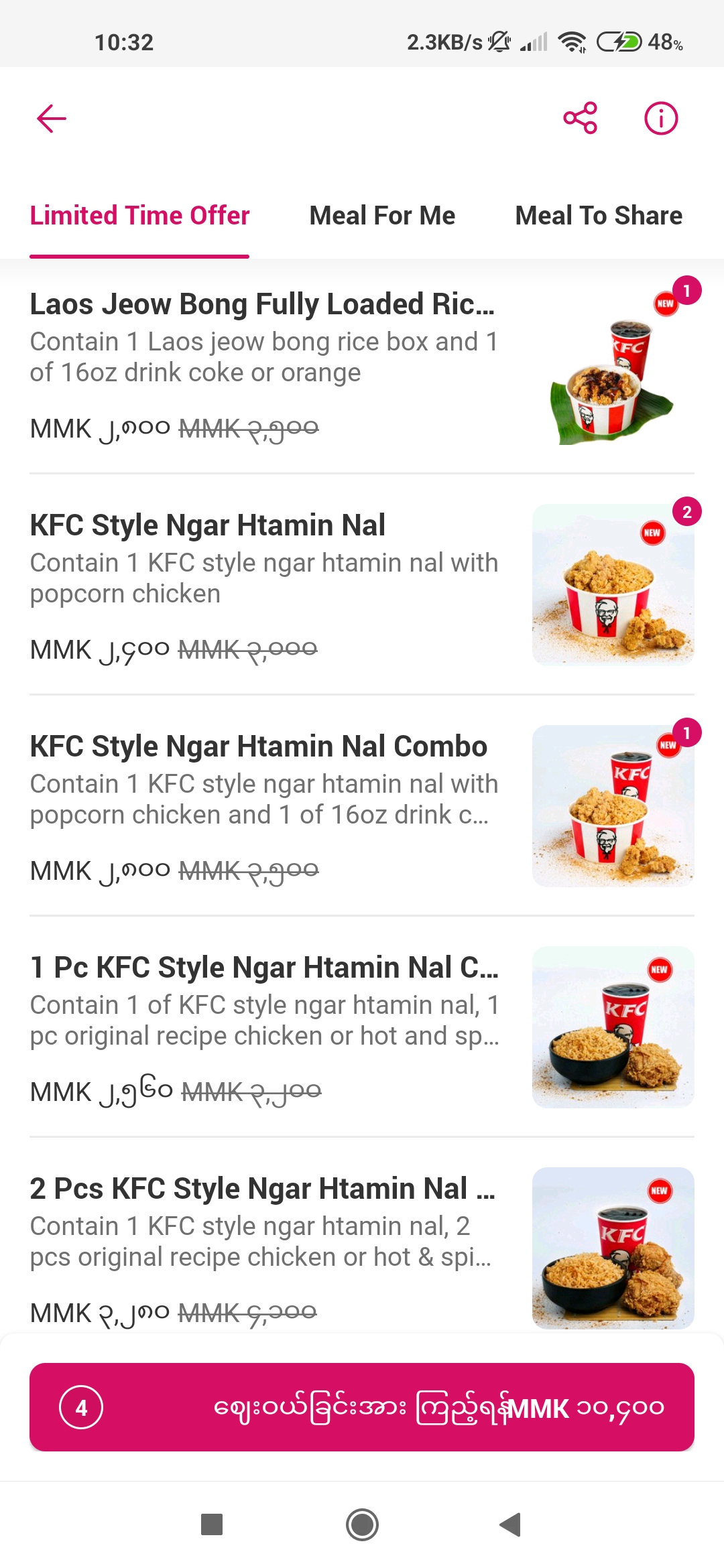
Step 3 : Choose what to order and add to cart.
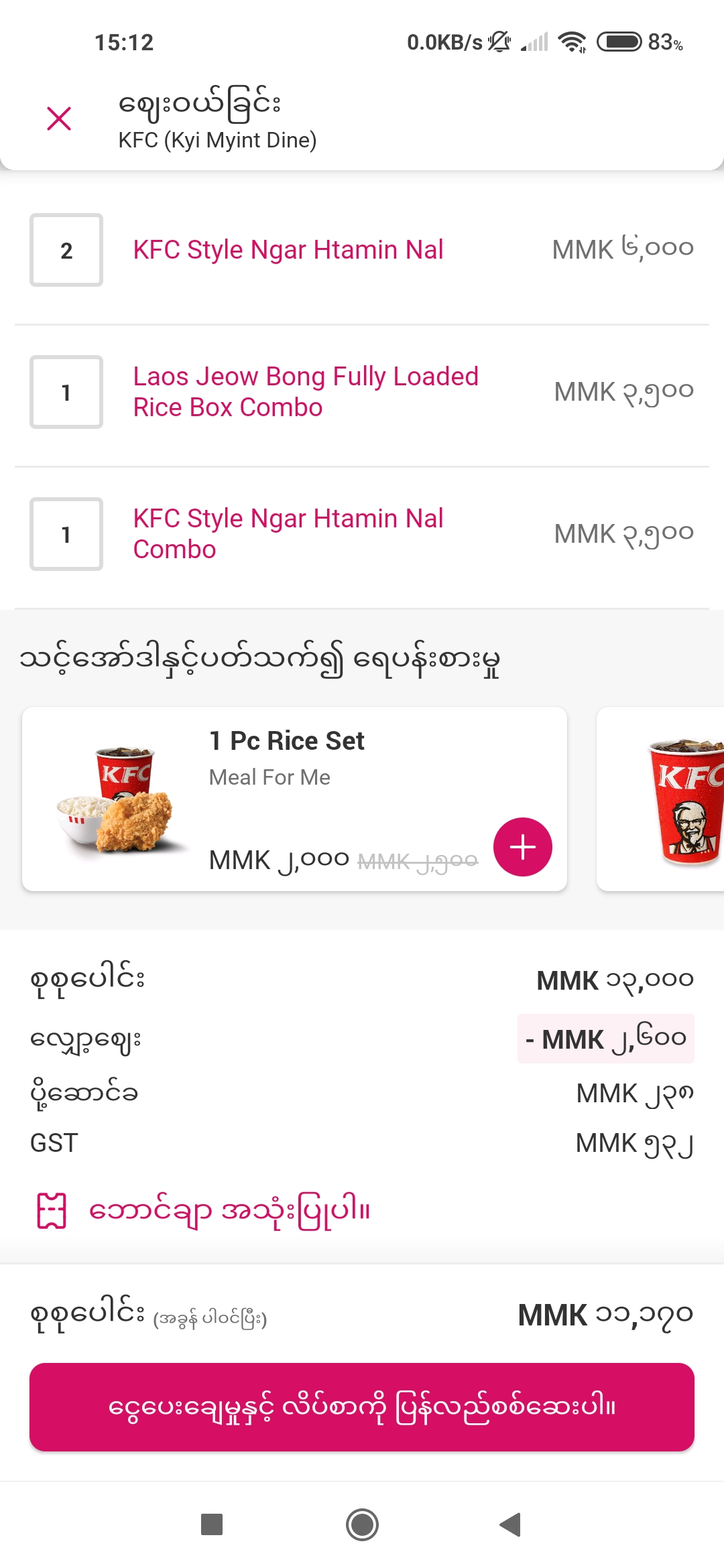
Step 4 : Click "Use voucher" if there is any.
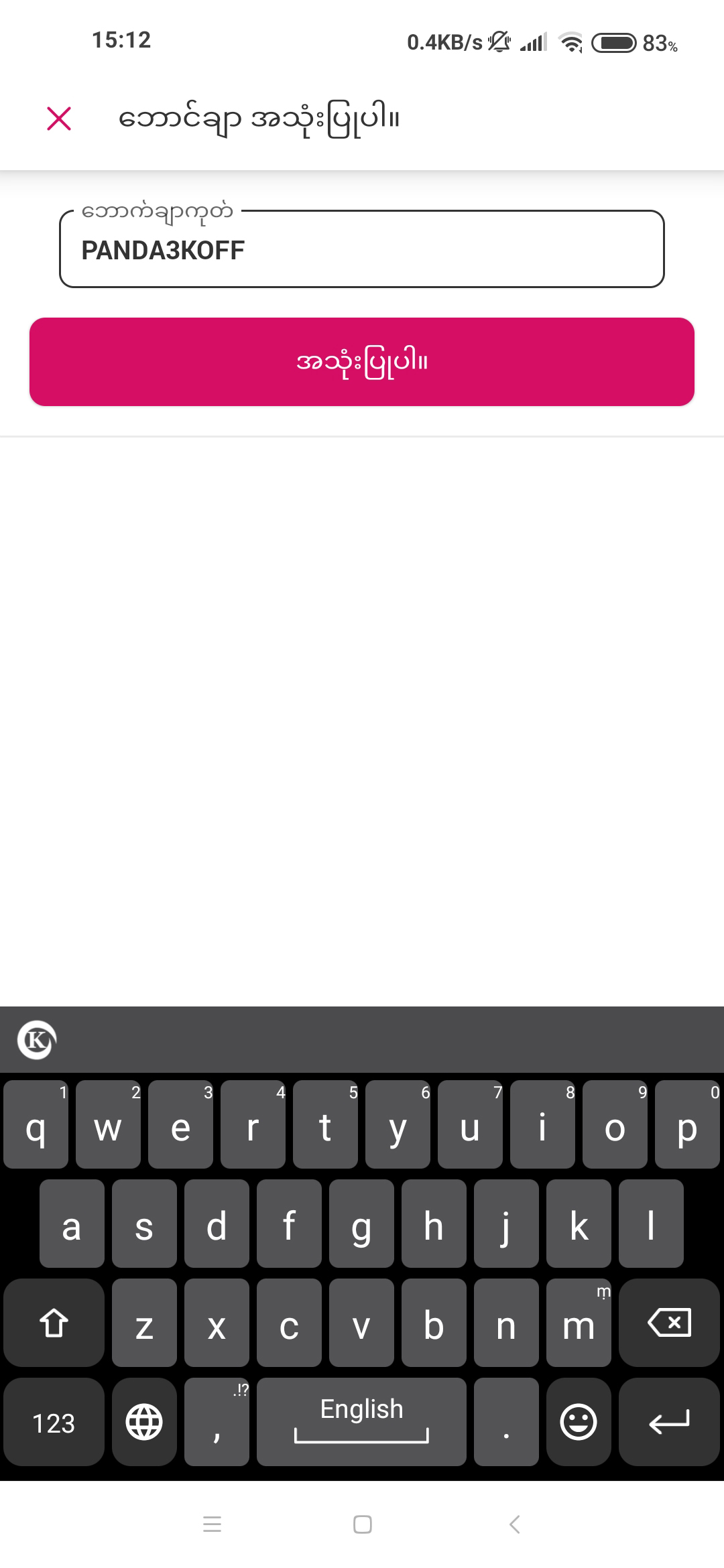
Step 5 : For first-time foodpanda app users, apply "PANDA3KOFF" to save MMK 3,000.
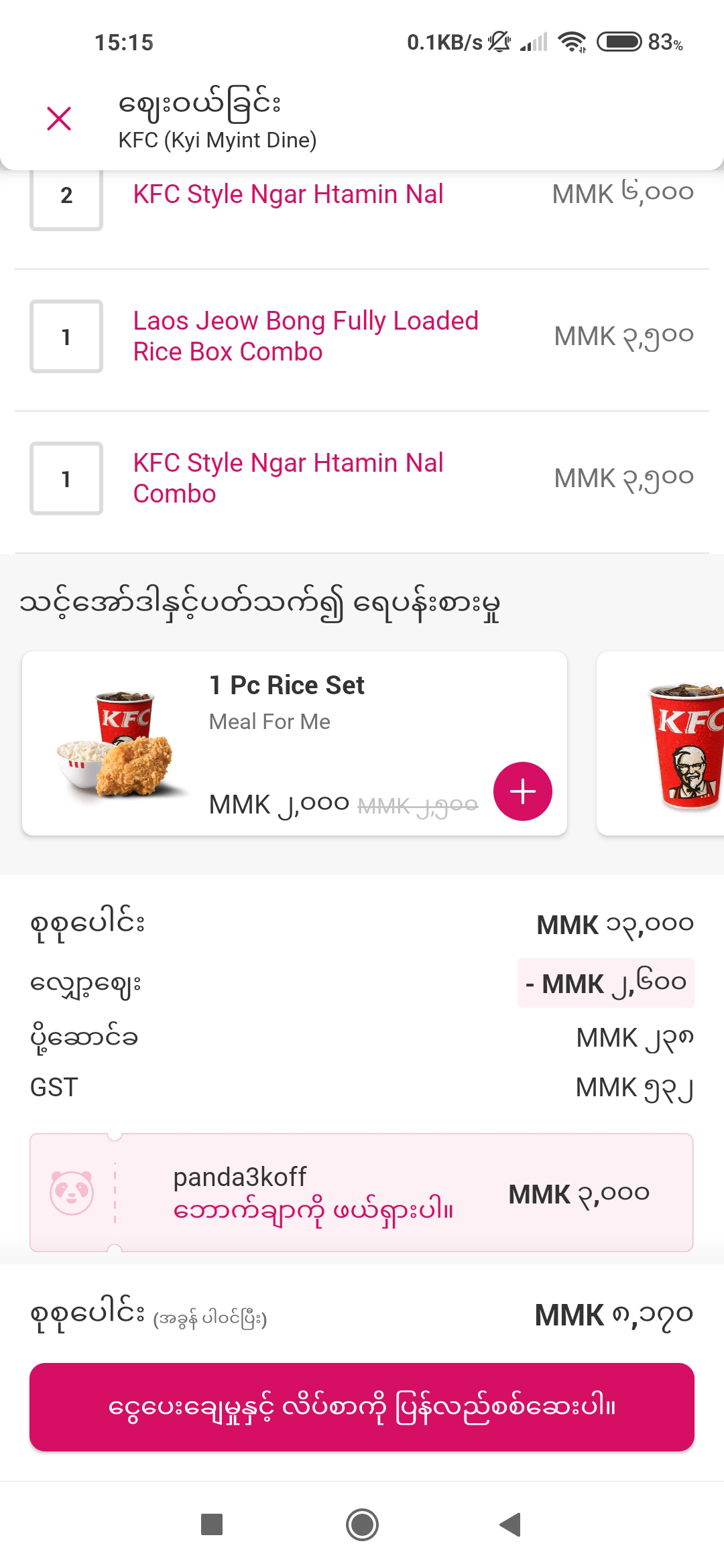
Step 6 : When all your favourites have been added to the order, click "Review payment and address".
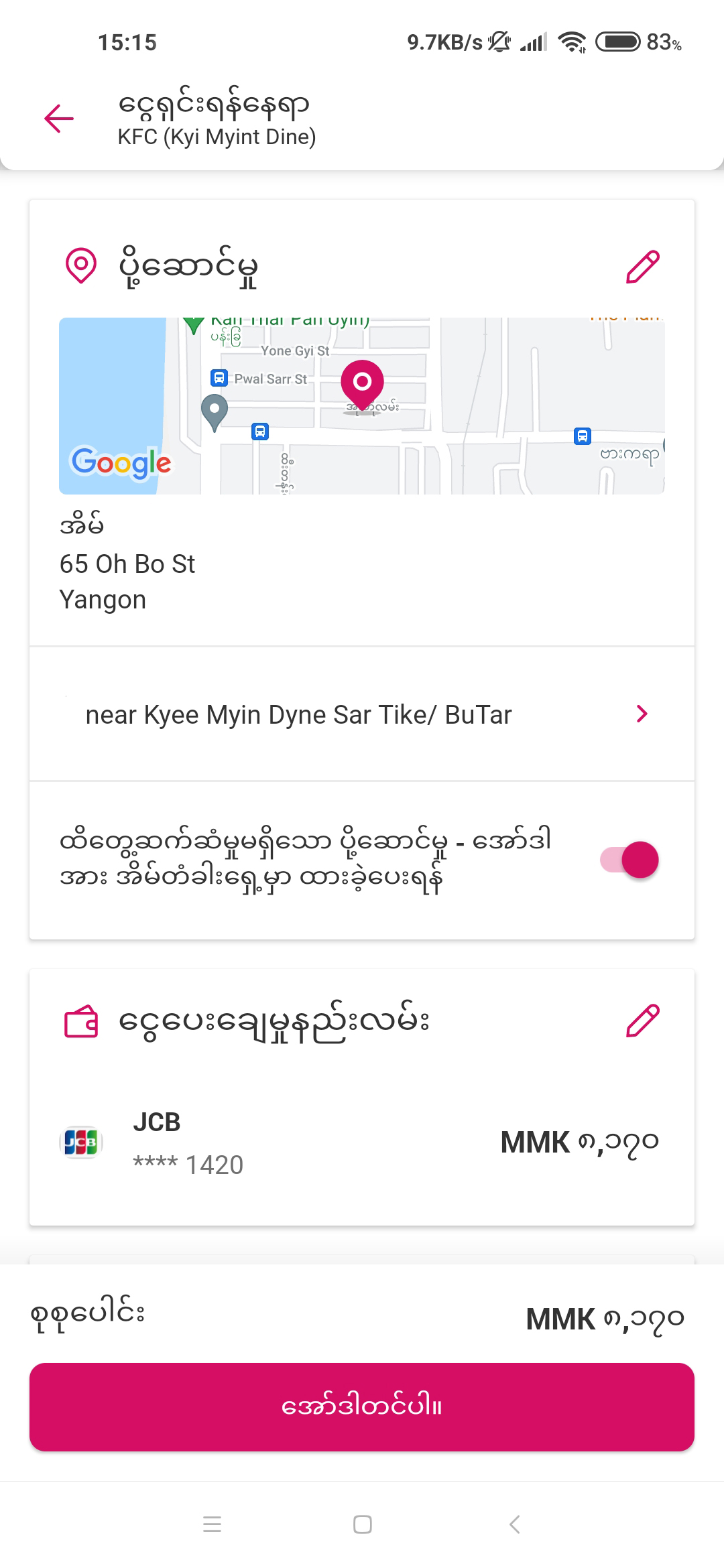
Step 7 : Fill in your complete address for delivery.
Choose your favourite payment menthod - cash-on-delivery or online payment.
Then place your order.
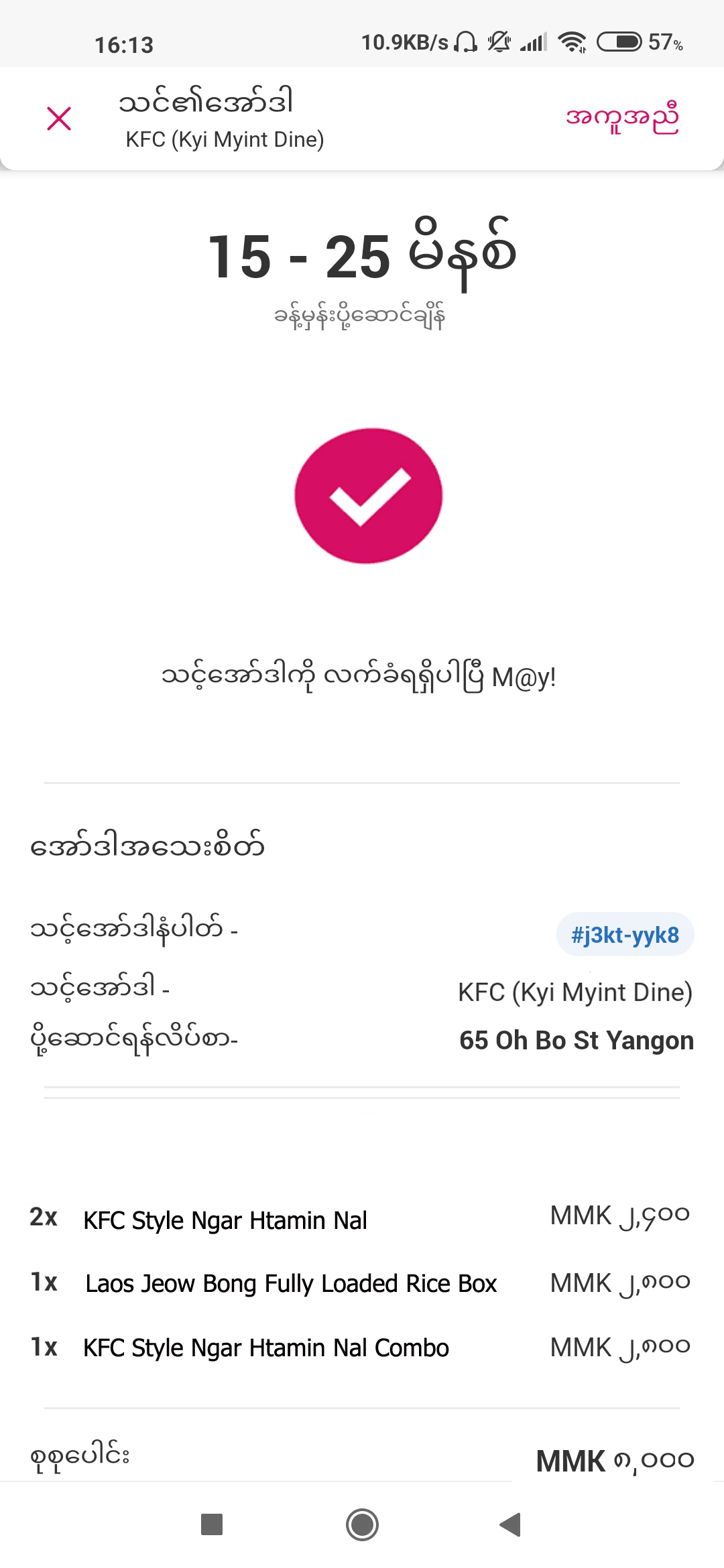
Step 8 : We will deliver your order within 30 minutes.
Enjoy your meal!
We know you're hungry.
Ready to order?
Order your favourites from 10,000+ restaurants and Order now!

FAQs
How to order?
We update all the latest features on this page so please feel free to refer here.
How to get the voucher code?
We regularly update on "foodpanda deals" page with the latest foodpanda vouchers information so check back often! We will also announce on facebook, instagram and app so please like and follow us not to miss out."
How can I pay for Food Delivery orders?
You can pay with both Cash-on-Delivery and Online Payment while ordering at foodpanda.
How to order again the same items/ menus?
Go to "Orders" at setting and click "Reorder" from your prefered restaurants. You can also add or remove the menus from the existing list. Save your time and order food you love easily.
How to preorder?
Just type in your location, select the restaurant you want from the list or further refine your search result by using the cuisine filter. Look through the menu and add it to your cart. Click "Change" under Esimated delivery and update accordingly with your preferred date and time, then proceed to checkout. Your order will be processed, prepared and delivered straight to your location at your prefered time.